
Security
A register of your personal data is sensitive in itself.
TrustOS holds the map of where personal data lives, who asked for what and how incidents were handled.
Control registerTrustOS platform
- Role based accessIn product
- A full audit trailIn product
- Tamper evident recordsIn product
- EncryptionIn product
- Data in IndiaIn product
- Separate environmentsIn product
Encryption at rest is configured per environment at deployment.
In the product
Controls built into TrustOS
Role based access
People see and act only on the modules and records their role needs. Partner firms see only the clients assigned to them.
A full audit trail
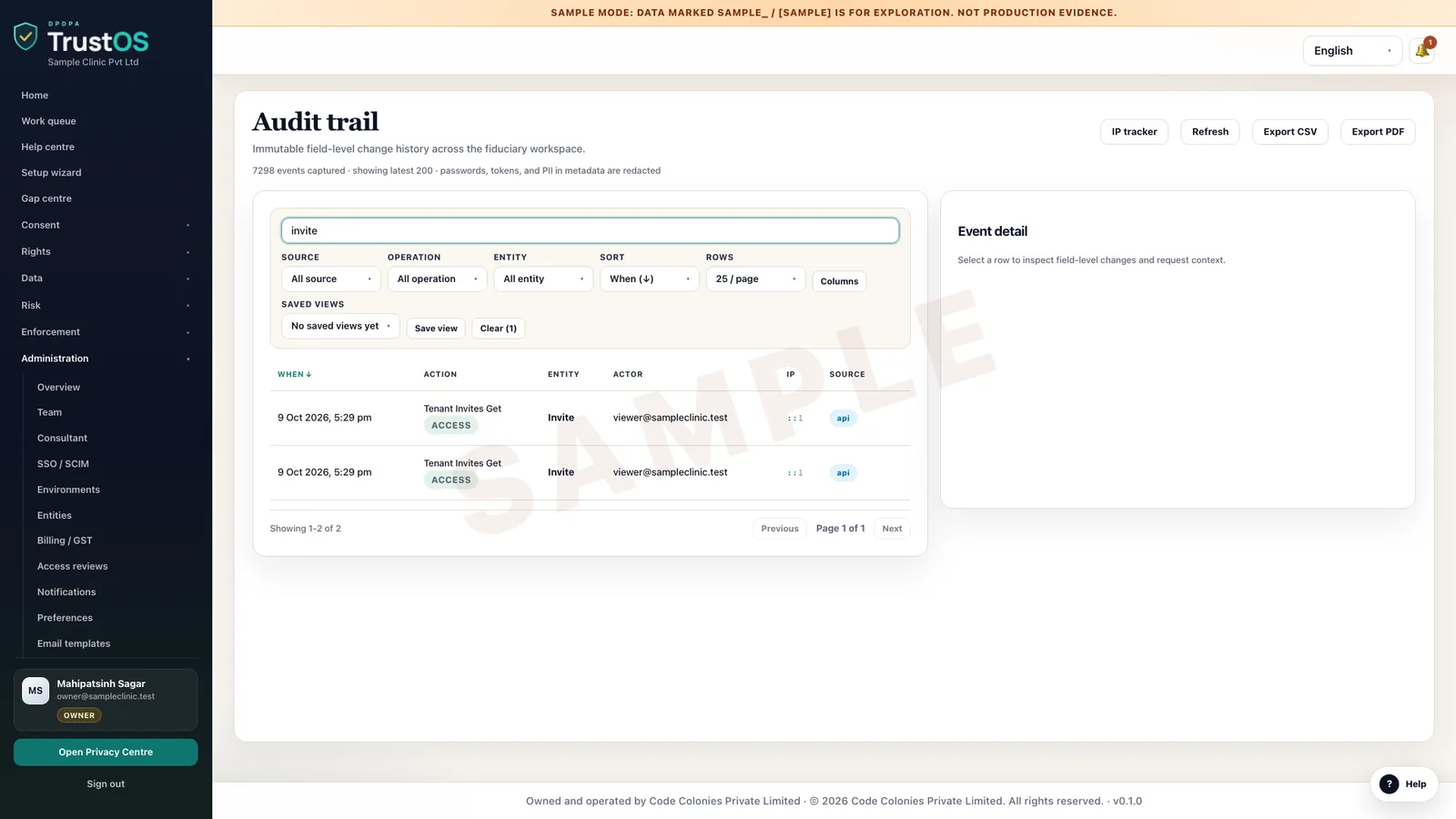
Every change is attributed to a person and time stamped, from a notice edit to an erasure confirmation.
Tamper evident records
Consent records are kept in a way that shows if they have been altered, and evidence packs can be verified.
Encryption
Data is encrypted in transit, and encryption at rest is configured for the environment as part of deployment.
Data in India
The hosted option runs on servers in India. Self hosted deployments run wherever you decide.
Separate environments
Development, test and production are kept apart, so changes are tried before they reach the records you rely on.
Roles and access
Each person sees what their role allows
Menus and actions follow the role, every change is written to the audit trail, and outside access is time boxed. This is the role matrix the product enforces.
| Role | Consent and rights | Risk records | Connectors | Team and sign in | API keys |
|---|---|---|---|---|---|
| OwnerRuns the workspace | Manage | Manage, export | Manage | Manage | Manage |
| AdminRuns it day to day | Manage | Manage, export | Manage | Manage, except owners | Manage |
| CompliancePrivacy office, DPO | Manage | Manage, export | View | View | None |
| EngineerIT and engineering | View | None | Manage | View | Manage |
| ViewerAnyone who needs to see | View | View | View | View | None |
| AuditorInternal or external audit | View, time boxed | View, export, time boxed | View, time boxed | None | None |
| ConsultantYour adviser, by grant | View, edit with delivery scope | View, edit with delivery scope | View | View | None |
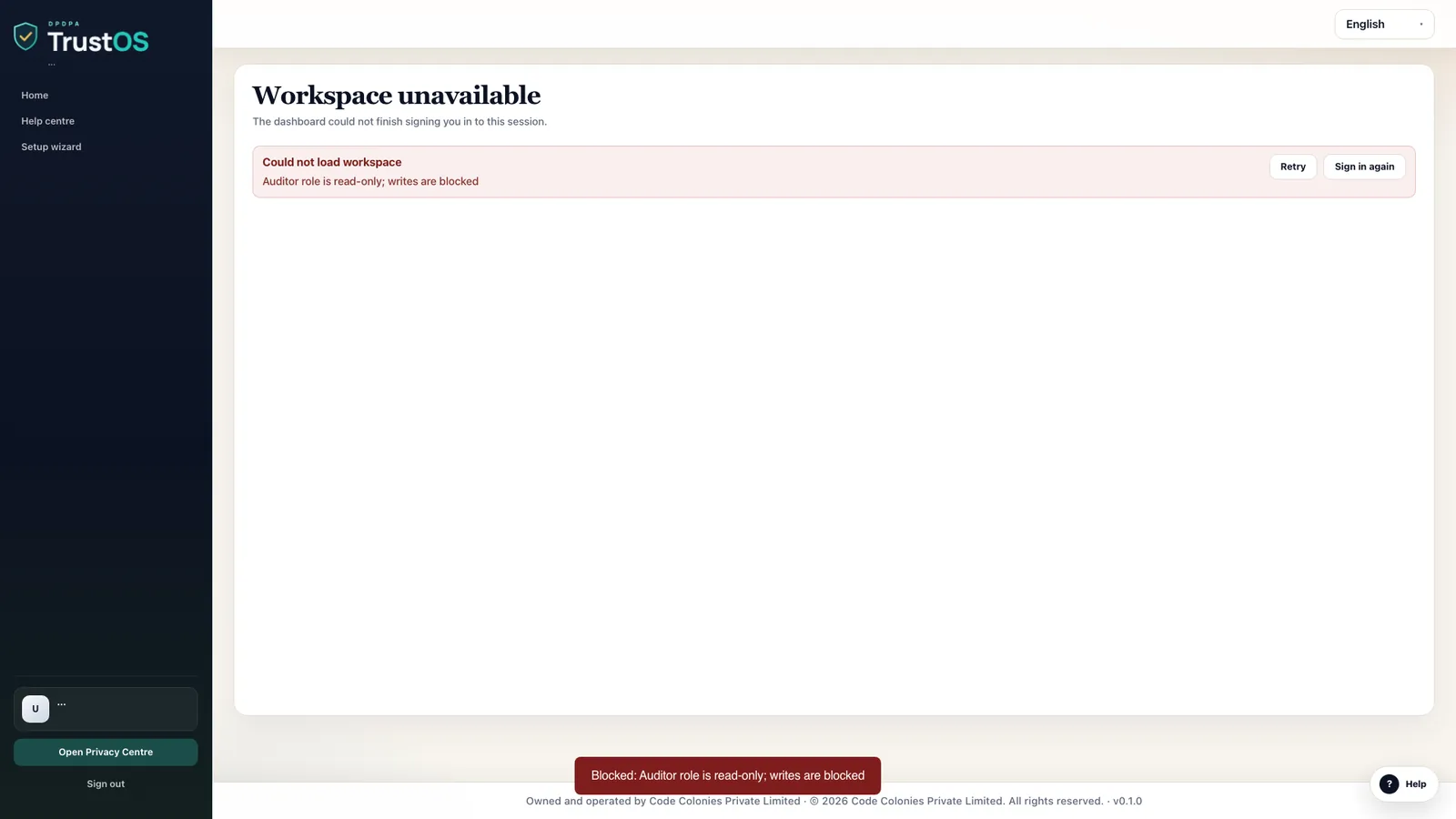
- An auditor can read while the grant is live. Every attempt to change a record is refused.
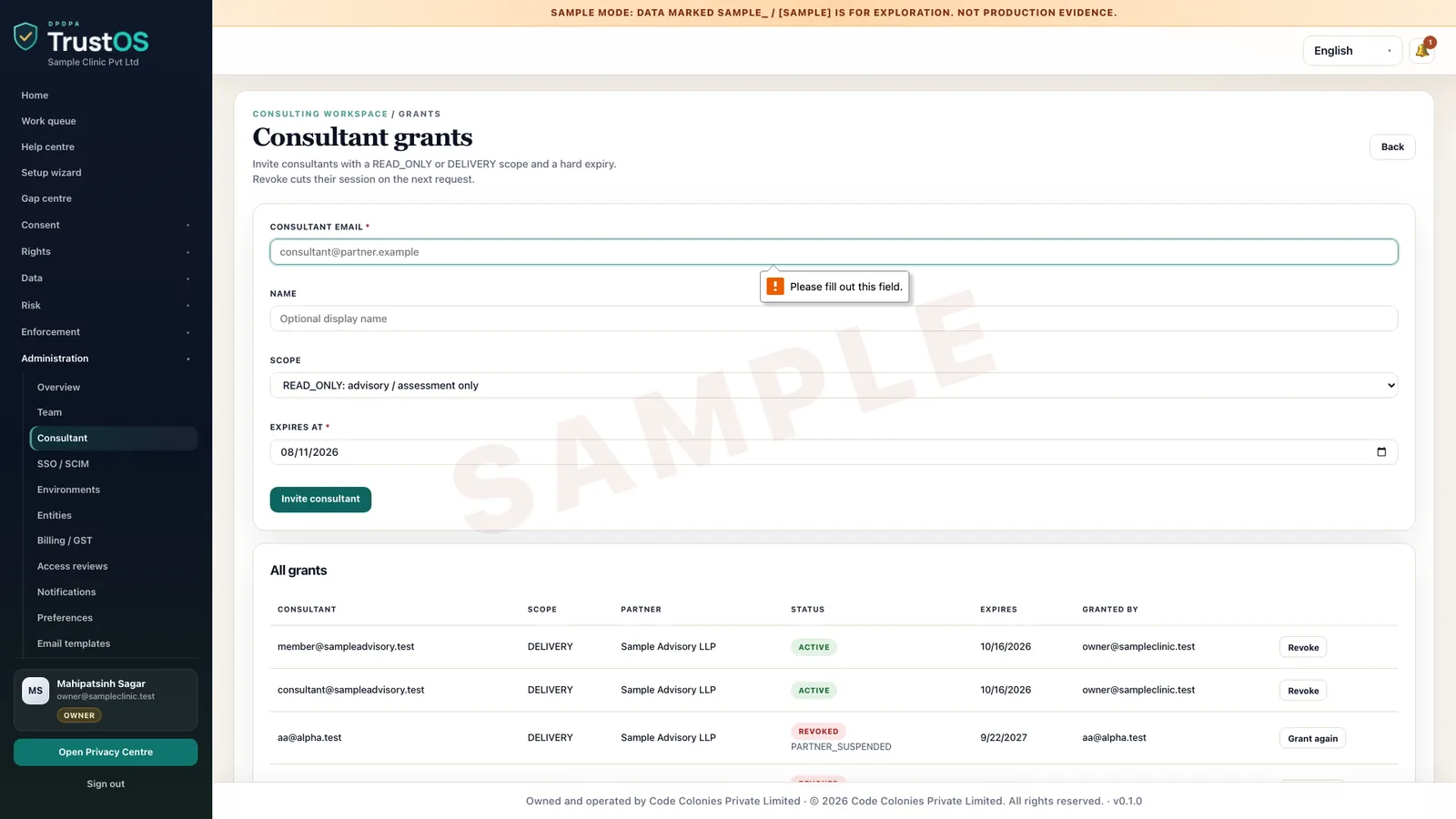
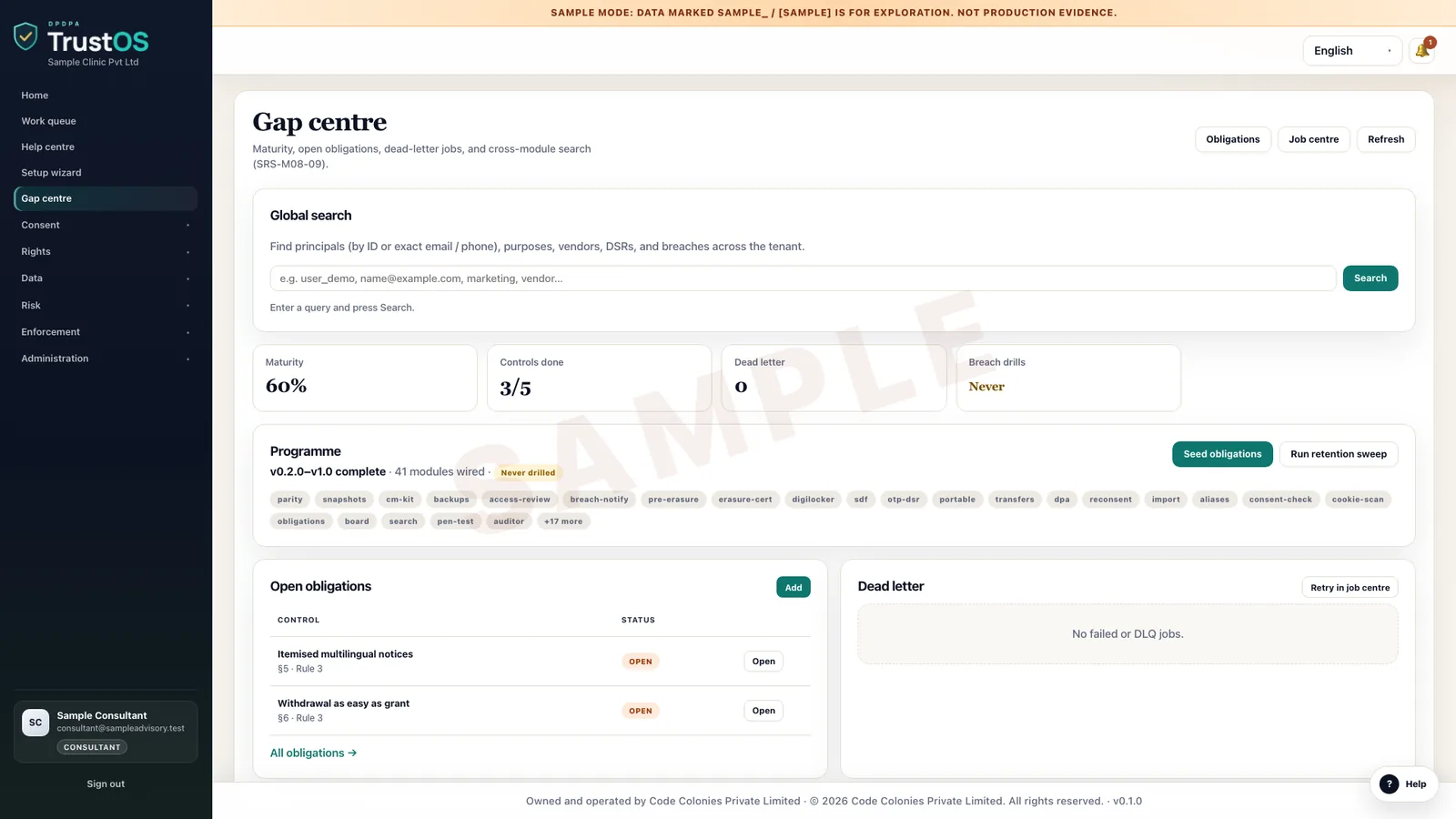
- A consultant works only under a grant with a scope and an expiry date, and every action is logged.
- An admin cannot make anyone an owner. Owners and admins manage single sign on and access reviews.
- Partner firms work in a client workspace only when assigned, with consultant permissions.
An auditor's change, refused
Consultant access with a scope and an expiry
A consultant's view under a grant
Every user action in the audit trail
See it in the product
Roles and access, recorded in the product
Short recordings from TrustOS in sample mode. Every name and record is sample data.
Accepting an invitation
A new compliance user is invited, sets a password and joins the workspace with the role the owner chose.
Each role sees its own menu
A viewer signs in and sees only what the role allows. Menus follow the role, so nobody sees screens they cannot use.
Revoking a consultant's access
Consultant access is granted with a scope and an expiry date. The owner can revoke it at any time, and the next request is refused.
A viewer cannot change records
The team page shows each person's role. A viewer can read the record but every change is blocked and logged.
Scope
What we claim, and what we leave out
We publish no certification or audit report claims, and using TrustOS does not make you compliant on its own. If your vendor review needs specific evidence, ask us for the security pack and we will answer your questionnaire directly.
Questions
What security reviewers ask us
Can we run a penetration test?
For self hosted deployments, yes, in your environment and on your schedule. For the hosted option, tell us your plan and we will agree the scope and timing with you.
How do we report a vulnerability?
Email consulting@codecolonies.com with the subject "Security report". We will acknowledge your report and keep you updated until it is resolved. Please do not access other people's data while testing.
Who at Code Colonies can see our data?
On the hosted option, access is limited to the people who support your environment, as set out in your agreement. On a self hosted deployment, only the people you give access to.
See it with your data
Show us where your personal data lives. We will show you TrustOS running on it.
A 30 minute walkthrough on Google Meet with someone who knows the Act and the product. You leave with a view of your first phase, the owners and the effort.
Or get a rollout proposal in two minutes- Step 1A 30 minute demo on Google MeetWith someone who knows the Act and the product.
- Step 2Your systems and purposesWe walk one product's personal data through TrustOS.
- Step 3A first phase you can planModules, owners and effort, written down for you to keep.