
Platform · Rights and grievances
Every request and complaint in one queue, with owners, due dates and a reply on file.
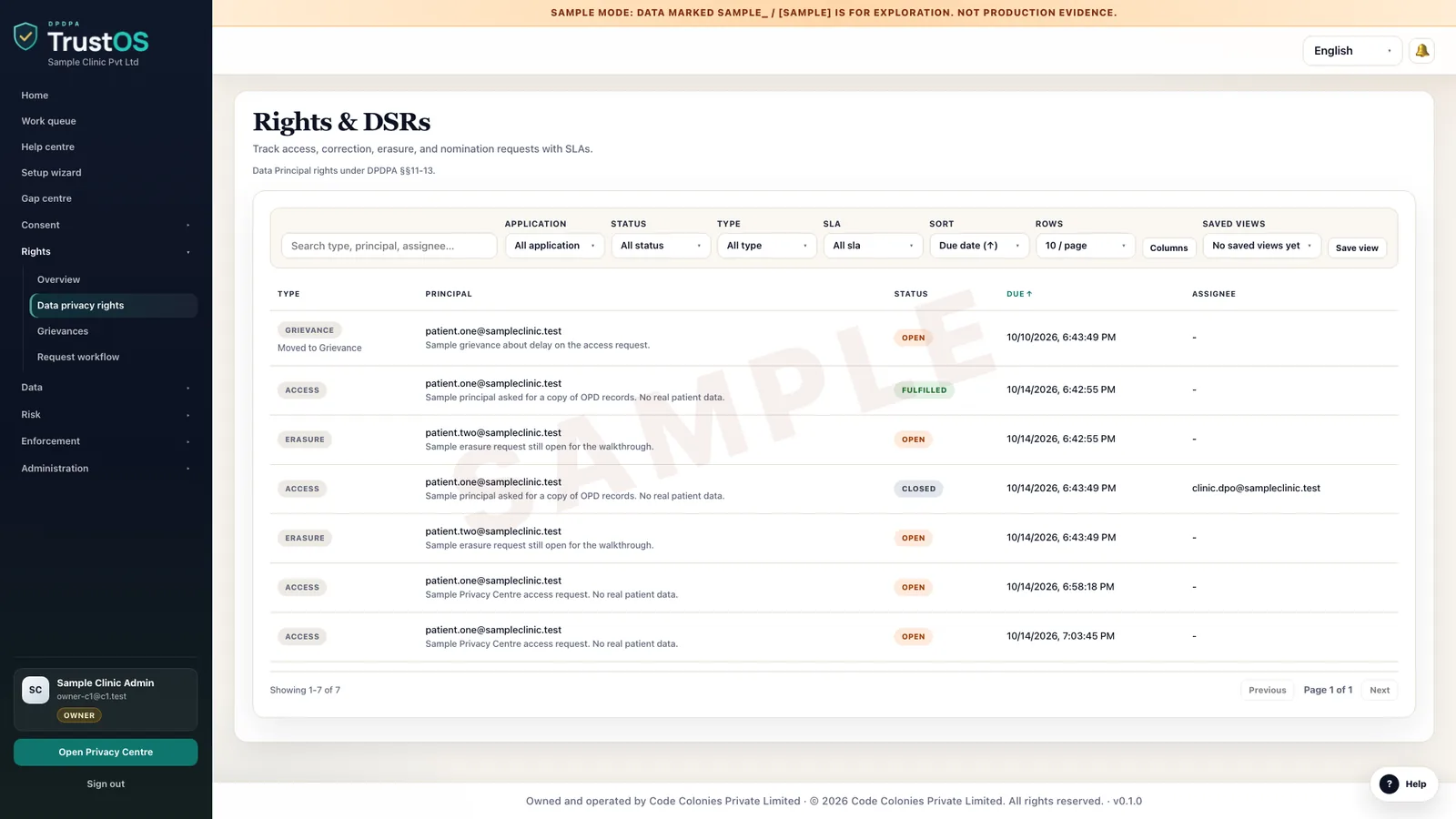
Rights and grievances brings requests from the Privacy Centre, email, branches and support tools into one queue. Each request is verified, assigned, worked across systems and closed with a reply and the evidence behind it.
The problem
Requests arrive everywhere and close nowhere
A patient asks a hospital to correct her date of birth. She tells the front desk, emails the help address and raises it on the app. Three tickets are opened in Freshdesk, the lab system is never updated, and her insurance claim is rejected because the records do not match. When she complains, nobody can show who did what, or when.
What the DPDP Act asks
The DPDP Act lets a person ask for a summary of their data and how it is processed, have it corrected, completed, updated or erased, nominate someone, and have grievances answered. The Rules ask you to publish your response periods and to answer grievances within a period no longer than 90 days. These duties apply from around May 2027 under the Rules as notified, unless amended.
A plain summary. It is not legal advice. Read the DPDP Act guide.
Erasure, everywhere it lives
One request out, a confirmation back from each system
The erasure plan comes from the data inventory. Connectors act where they can, processors confirm, people close manual tasks, and anything kept under a legal duty is recorded with its reason.
What it does
What rights and grievances gives your team
One queue from every channel
Requests from the Privacy Centre, email, branches, call centre notes and Freshdesk or Zendesk tickets land in one queue. Duplicates from the same person are merged so one request is worked once.
Identity and authority checks
Record how the requester was verified, and for nominees, guardians or lawyers, what proof of authority was seen. Nothing is shared or erased before the check is complete.
Tasks across systems
An access request creates a search task for every system in the inventory that may hold the person's data. A correction goes to each system holding the wrong field, including the lab system someone usually forgets.
Due dates you set
Set response periods per request type and publish them. Requests show days remaining, and the team lead sees anything close to its date before it is missed.
Exceptions with reasons
When you cannot erase everything, such as loan records kept under RBI rules or medical records kept under clinical rules, legal records what stays, why, and the reply says so plainly.
Replies and closure evidence
The reply, the data summary sent, the system confirmations and the approver are kept with the request. A grievance about a request links back to it.
How the work moves
Step by step, inside TrustOS
- Step 1Receive and logEach request gets a reference and a type: access, correction, completion, updating, erasure, nomination or grievance.
- Step 2Verify the personOperations confirms identity by OTP or documents, and checks authority for anyone acting on another's behalf.
- Step 3Assign and workTrustOS creates tasks for system owners based on the inventory. Connected systems are searched or updated directly; others are worked by their owners.
- Step 4Review exceptionsAnything that cannot be done in full goes to the privacy lead, who records the reason and approves the outcome.
- Step 5Reply and closeThe person gets a plain reply through the Privacy Centre or email. The request closes with every task, confirmation and message attached.
Records it keeps
The evidence builds as you work
- Request log with reference, type, channel and dates
- Identity and authority verification for each request
- Tasks per system with owner and completion time
- System confirmations from connectors
- Exceptions with legal reasoning and approver
- Replies sent to the person
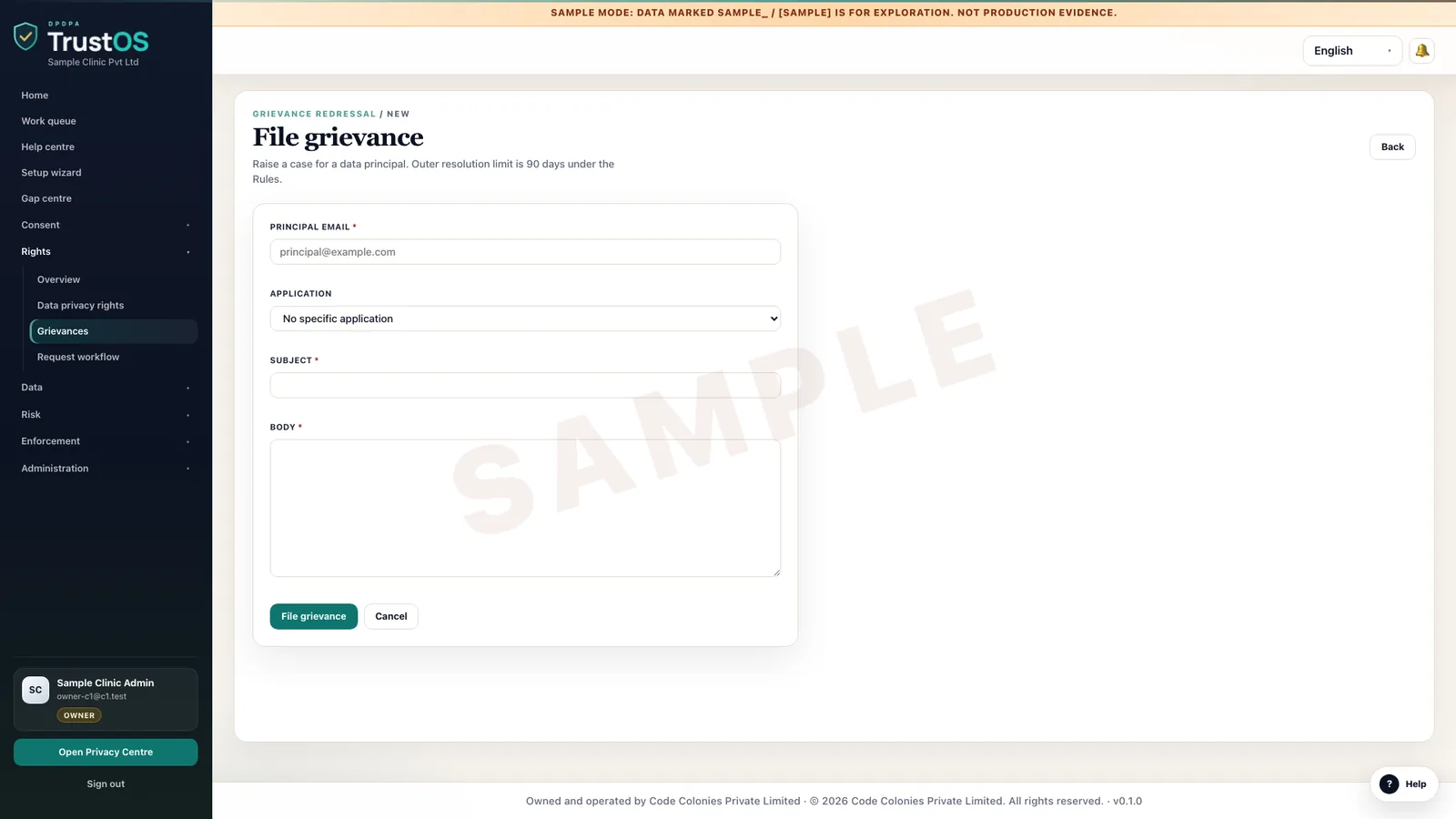
- Grievances linked to the requests they concern
- Response time reports by request type
Who uses it
The teams who rely on it most
The first team usually leads the work. The others act on what it assigns.
Questions
About rights and grievances
We already use Freshdesk for support. Do requests move out of it?
Your agents can keep logging them in Freshdesk. TrustOS picks up tickets tagged as privacy requests, runs the DPDP steps and posts status back, so the support team does not work in two places.
What does an access request reply contain?
A summary of the personal data you process about the person and the processing activities, plus the identities of other Data Fiduciaries and processors you shared it with, with a description of what was shared. TrustOS gathers this from the inventory and the system searches.
Can we refuse an erasure request?
Where another law requires you to keep the data, yes, for that data. TrustOS records what is kept, the law or reason, and the reply that explains it. Your legal team makes that call; TrustOS does not give legal advice.
Keep going
Related modules and reading
Module
Privacy Centre
One page where your customers manage consent, make requests and track them.
Learn moreModule
Data inventory
A working record of what personal data you hold, where it sits and who touches it.
Learn moreModule
Retention and erasure
Decide how long each kind of data stays, then make sure it actually goes.
Learn moreSee it with your data
Show us where your personal data lives. We will show you TrustOS running on it.
A 30 minute walkthrough on Google Meet with someone who knows the Act and the product. You leave with a view of your first phase, the owners and the effort.
Or get a rollout proposal in two minutes- Step 1A 30 minute demo on Google MeetWith someone who knows the Act and the product.
- Step 2Your systems and purposesWe walk one product's personal data through TrustOS.
- Step 3A first phase you can planModules, owners and effort, written down for you to keep.