
Platform · Consent
Record each consent against the notice shown, and act on withdrawal in every system.
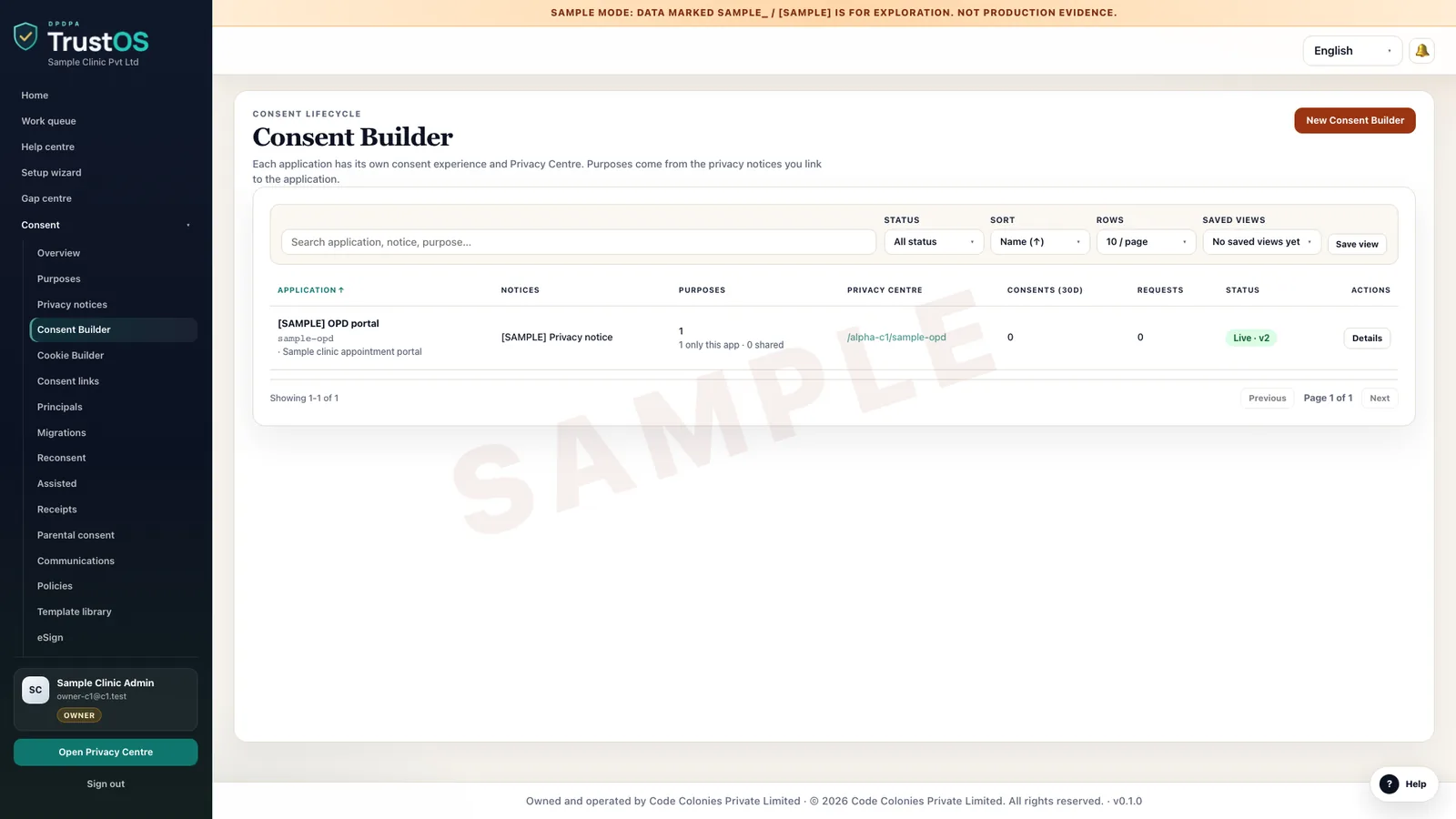
Consent keeps one record per person, purpose and notice version, from every channel where you ask. When someone withdraws, TrustOS tells each system that relies on that consent and records which ones confirmed.
The problem
Withdrawal reaches the app but not the SMS vendor
A borrower turns off promotional messages in the loan app. The app stops showing offers. The CRM still has the old flag, the marketing team exported a list last week, and the SMS vendor sends a pre-approved top up offer on Saturday. The borrower complains, and nobody can show when the withdrawal arrived or which systems heard about it.
What the DPDP Act asks
Under the DPDP Act, consent must be free, specific, informed, unconditional and unambiguous, given by a clear affirmative action, and limited to the data needed for the purpose. Withdrawing must be as easy as giving consent, and once it is withdrawn you and your processors must stop processing for that purpose within a reasonable time. For a child, you need verifiable consent from a parent or lawful guardian first.
A plain summary. It is not legal advice. Read the DPDP Act guide.
Watch a withdrawal travel
One switch in the Privacy Centre, every system that used it
A customer turns off WhatsApp offers. The consent record changes, and the withdrawal goes to each system and processor that relied on it, until every one has confirmed. Sample data.
What it does
What consent gives your team
One record per purpose
A single sign up can carry several consents: loan processing, credit bureau checks, marketing on WhatsApp. Each is recorded separately, so withdrawing one does not touch the others.
Linked to the notice version
Every record stores the notice version and language the person saw, the channel, the time and the method, such as a checkbox in the app or an OTP on a call.
Tamper evident history
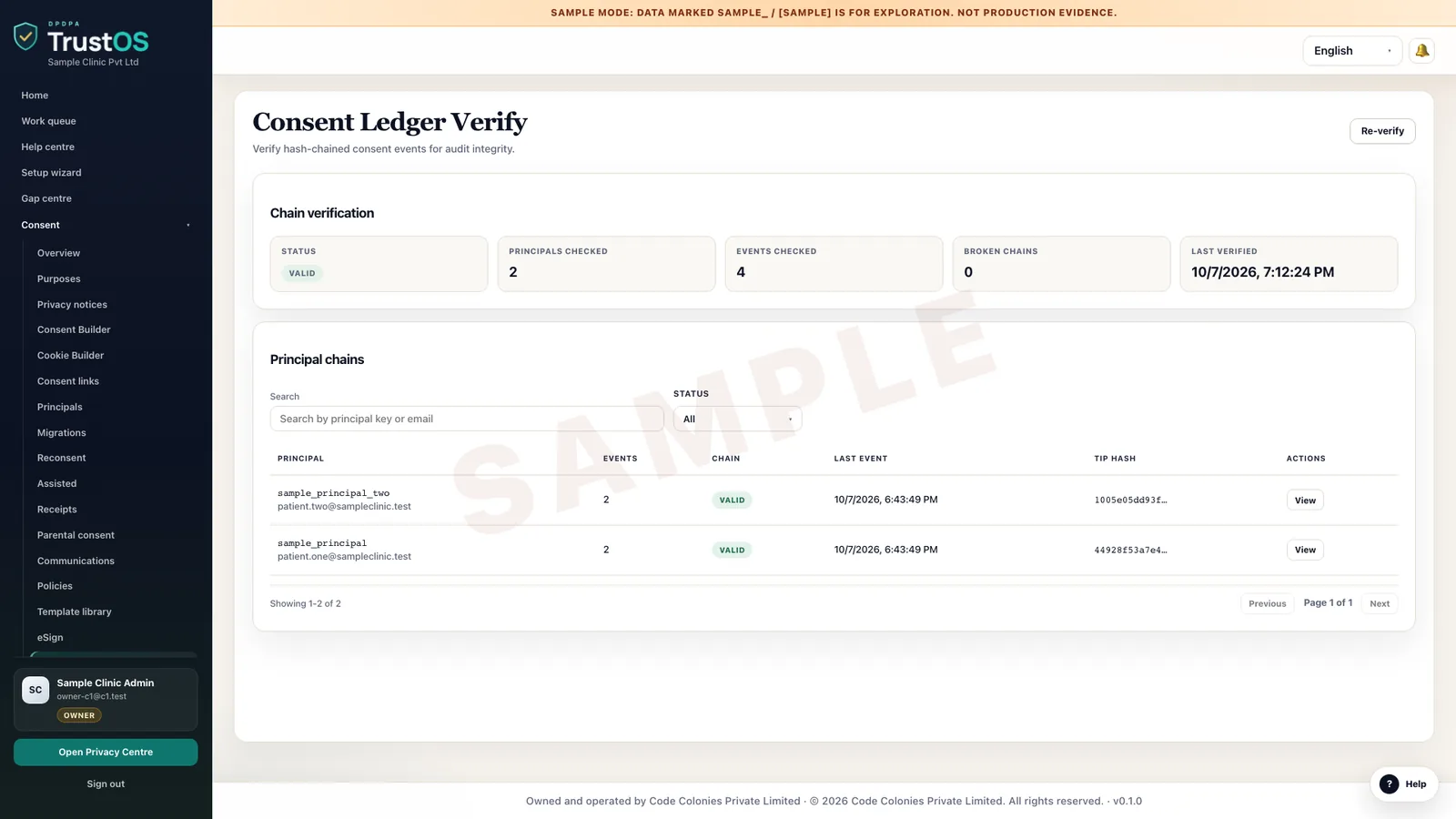
Consent records are tamper evident. Changes are added, never overwritten, so the history of grant, renewal and withdrawal for a person can be shown as it happened.
Withdrawal sent to every system
When consent is withdrawn, TrustOS creates an action for each system linked to that purpose in the inventory. Connected systems are updated directly; others get a task for their owner.
Parental consent for children
For services used by under 18s, such as an edtech platform, record the parent or guardian, how their identity and age were checked, and the consent they gave on the child's behalf.
Consent from your own channels
Capture consent from your app, website, branch tablet, call centre or WhatsApp flow through one interface. Each channel sends the same structure, so reports compare like with like.
How the work moves
Step by step, inside TrustOS
- Step 1Set up the consent requestPick the purposes and the notice version for a channel. TrustOS gives the channel team the purpose IDs and the text to show.
- Step 2Record the responseThe channel sends each grant or refusal to TrustOS with the person's identifier, time and method. Refusing optional purposes does not block the service.
- Step 3Receive a withdrawalWithdrawals come from the Privacy Centre, the app, a support agent or a Consent Manager. Each is recorded with its source.
- Step 4Act in every systemActions go to the CRM, marketing tool, dialler and any processor linked to that purpose. Each confirms, or its owner closes the task with a note.
- Step 5Watch the stragglersOperations sees withdrawals where a system has not confirmed after two working days and follows up before a complaint arrives.
Records it keeps
The evidence builds as you work
- Consent record per person, purpose and notice version
- Channel, method and timestamp of each grant and withdrawal
- Parent or guardian details and verification method for children
- Withdrawal actions per system, with confirmation time
- Exceptions where a system could not act, with reasons
- Consent Manager references where consent came through one
Who uses it
The teams who rely on it most
The first team usually leads the work. The others act on what it assigns.
Questions
About consent
Does TrustOS replace our cookie banner or app consent screens?
Your screens stay where they are. They send each response to TrustOS, which keeps the record and acts on withdrawals. Where you have no screen yet, the Privacy Centre can collect consent for you.
Can TrustOS work with registered Consent Managers?
Consent Manager registration opens around November 2026 under the Rules as notified. TrustOS can record consents and withdrawals that arrive through one, with the Consent Manager's reference kept on the record.
What if a system cannot be connected?
The withdrawal still creates a task for that system's owner, with a due date. They act manually and close the task with a note, so the record shows every system, connected or not.
Keep going
Related modules and reading
Module
Purposes and notices
Decide why you process each kind of data, then tell people in their own language.
Learn moreModule
Privacy Centre
One page where your customers manage consent, make requests and track them.
Learn moreModule
Connectors and actions
Find a person's data in your systems, act on it, and record what really happened.
Learn moreGuide
Linking purposes to grounds and notices
Under the DPDP Act almost everything follows from the purpose you process data for. A purpose register keeps the ground, the notice versions and the retention rule moving together.
Learn moreGuide
Recording consent and acting on withdrawal
A consent record is only useful if your systems read it. Capture the right details when someone agrees, make a withdrawal reach every system, and prepare for registered Consent Managers.
Learn moreArticle
Preparing for registered Consent Managers
Registered Consent Managers will let people give, review and withdraw consent across many companies from one place. Most of the work to receive that consent happens inside your own systems.
Learn moreSee it with your data
Show us where your personal data lives. We will show you TrustOS running on it.
A 30 minute walkthrough on Google Meet with someone who knows the Act and the product. You leave with a view of your first phase, the owners and the effort.
Or get a rollout proposal in two minutes- Step 1A 30 minute demo on Google MeetWith someone who knows the Act and the product.
- Step 2Your systems and purposesWe walk one product's personal data through TrustOS.
- Step 3A first phase you can planModules, owners and effort, written down for you to keep.