
Guide · Deployment
Connecting TrustOS to the systems you already run
How connectors search, act and confirm, and what happens with systems that stay manual
- Published
- 21 August 2026
- Updated
- 10 October 2026
- Reading
- 11 min · TrustOS team
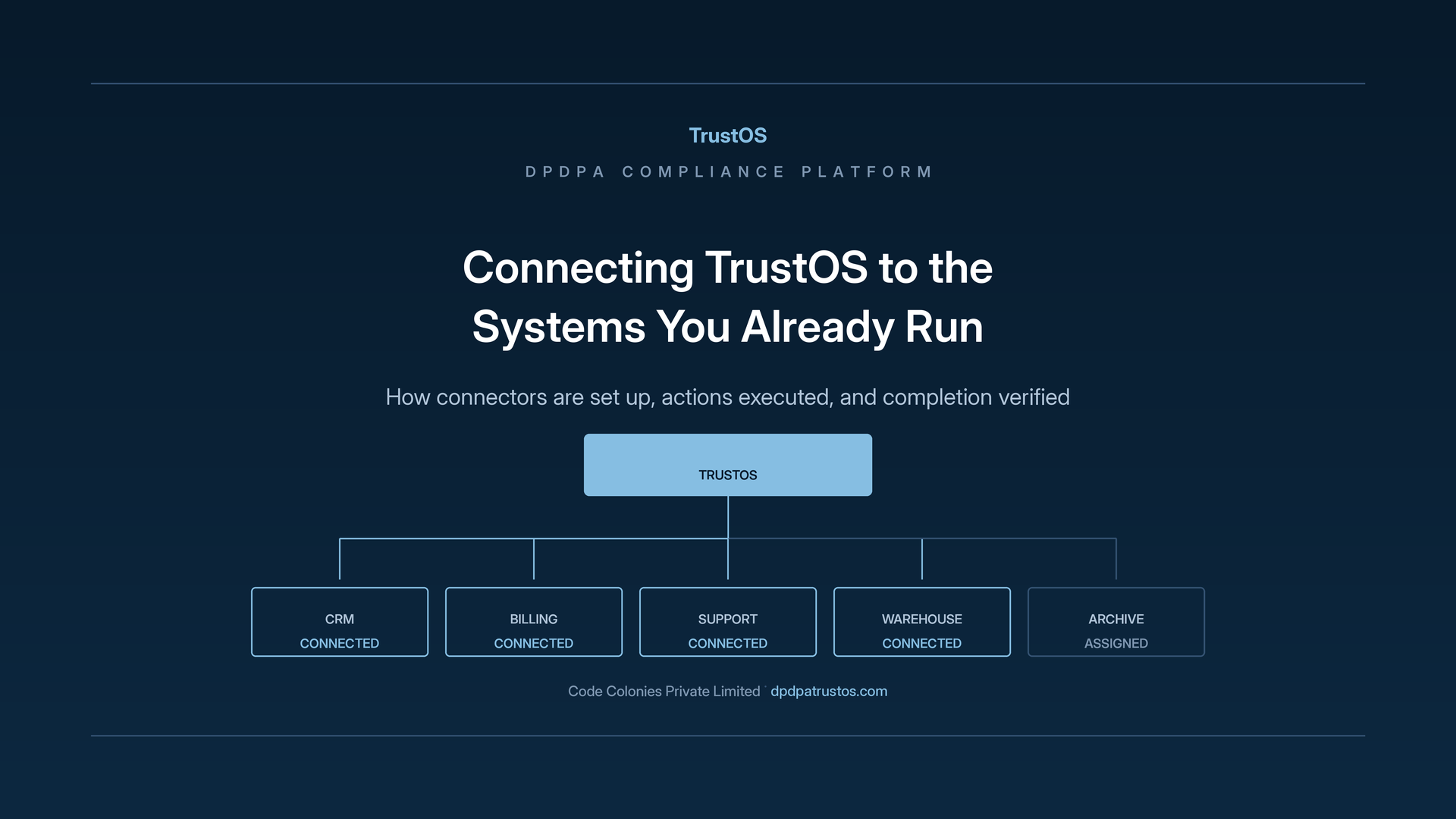
One customer, six systems
A D2C skincare brand in Jaipur takes most of its orders on WhatsApp and the rest through its website. A customer who bought twice last year writes in and asks the brand to delete her data. On paper this is one request. In practice her details sit in the store's order database, the WhatsApp Business inbox, a CRM used for repeat purchase reminders, an email marketing tool, the courier partner's portal and a Google Sheet the operations team uses to reconcile cash on delivery orders.
Today the privacy lead sends six messages to six people. Four reply that it is done. One forgets. The courier partner never answers. When the customer asks a month later whether her data is really gone, the accurate answer is that the brand believes most of it is.
That is the gap connectors are meant to close.
Why connections matter
The duty behind it
Under the DPDP Act, a Data Principal can ask for information about their personal data, and for its correction, completion, updating or erasure. Personal data also has to be erased once consent is withdrawn or the purpose is no longer served, unless another law requires it to be kept. Rule 6 of the DPDP Rules lists security safeguards that include access control and logs, and those apply to any route into personal data, including one built for compliance work. Most of these duties apply from around 13 May 2027 as notified, unless amended.
None of this says you must automate. It does mean you should be able to show what was searched, what was changed and when. How strong that showing is depends on who produced the record.
Instructing and doing
A compliance platform can work in two ways. It can tell a person what needs doing and record what they say they did. Or it can reach into the system, carry out the approved action and confirm the result.
Most organisations begin in the first mode, since it asks nothing of their systems. Somebody in privacy raises the work, somebody in technology carries it out, and somebody records the outcome. That arrangement works, and it depends entirely on people reporting accurately and on nobody forgetting a step.
Both modes have a place, and they produce evidence of different strength. A record saying "engineer confirmed erasure" rests on that engineer's word. A record produced by the system itself, listing which rows were removed and at what time, rests on the system.
Auditors and regulators know the difference and test for it. When they ask how you prove your retention rules run, an execution log usually ends the question. A description of the process usually invites several more.
Connections are how the platform moves from the first kind of record to the second. Some systems will never be connected, and the ones holding the most personal data are where the difference matters most.
What a connector does
A connector is a defined link between TrustOS and one of your systems, working inside permissions you set. Through it, TrustOS can do three things, and each maps directly onto a set of duties:
- Search for personal data about a person, which supports access requests and breach scoping.
- Act on an approved instruction, such as an erasure, a correction or a retention rule.
- Confirm what happened, which becomes the evidence every one of those duties needs.
How the link is made depends on the system. Some offer a documented interface built for exactly this kind of integration. Some need a query against the database with credentials limited to the purpose. Some allow only a partial route, such as search without the ability to change anything, and TrustOS records that limit openly so nobody assumes more.
A connector gives TrustOS no general access to your systems. The scope is part of the setup: it reaches the data categories and operations the configuration allows, and nothing beyond them.
Setting a connector up
Decisions to make at the start
Setting up a connector involves a short set of decisions. Making them deliberately at the start saves reopening them later.
- Which system is being connected, and who owns it.
- Which data categories the connector may reach, since most systems also hold a great deal of data that is not personal.
- Which operations are allowed: search only, or search and change.
- Which credentials it uses, and what those credentials can do inside the system.
The credentials deserve real attention. A connection running with broad administrative rights can do far more than the compliance work requires. Narrowing those rights to the operations actually needed is easy at setup and awkward after a year of use.
The system owner approves the connector and its scope, and TrustOS records that approval with a name and a date. That record answers the question of who allowed the platform to act inside a production system, which somebody will eventually ask.
Matching the same person across systems
A connector searching for an individual needs to know how that individual appears in the system it reaches. The skincare customer is an order ID in the store, a phone number on WhatsApp, an email address in the marketing tool and an AWB number at the courier.
Resolving those identities is genuine work, and it is the part of setup teams most often underestimate. A search on email alone misses half of her, because she used a different address for her second order. A search that matches too loosely returns someone else's orders.
TrustOS holds which identifiers each system uses and how they relate to the individual record, so searches are built properly. Where matching is imperfect, and it often is, the configuration says so openly.
Organisations with several customer facing systems built at different times usually have the hardest version of this. The same person exists three times with no shared key between the records. Connecting them means either a matching exercise or a decision to search each system separately on its own terms.
That clarity matters when a response goes out. If you can say which systems were searched and on what basis, you are describing a bounded search you can defend. If you simply assumed the search was complete, you are making a claim you cannot support.
Executing actions
Approval comes first
Actions that change data pass through approval before a connector executes them. The action reaches the responsible owner with the detail of what would happen: in which system, to which records, under which requirement. The approval is recorded.
That step exists because erasure and correction cannot be undone. Data due for removal under a retention rule may have become relevant to a legal hold or a live dispute since the rule was set, and approval gives somebody with current knowledge the chance to say so.
Where a legal hold applies, TrustOS records it against the data and pauses the action with that reason. The action then stays paused until the hold lifts, so nobody has to keep declining the same proposal.
Recording what really happened
When a connector executes an action, TrustOS records each outcome as it is:
- Completed, with the records affected and the time.
- Partial, with what completed and what did not.
- Failed, with the reason the system returned.
Recording the partial and failed cases accurately is what makes the whole arrangement trustworthy. An action that removed data from a table and could not remove it from the associated search index has done part of the job. Marking it complete would put something untrue into the record.
Partial and failed results stay open, assigned to someone with the specific gap named. The count of open results is a useful figure in its own right. It measures the distance between what you decided and what your systems actually did.
Verification as a separate step
Executing an action and verifying it are different steps, and a platform that treats them as one will overstate its own reliability. A system can accept an instruction, report success and leave the data in place because of a constraint nobody anticipated, such as a replica, a cache or a nightly export.
Where the connector allows it, TrustOS checks afterwards that the data is genuinely gone or genuinely changed. Where it cannot, the record shows that the action was executed without independent confirmation. That is a weaker position, and the record states it as such.
Keeping those two states apart in the record is worth the effort. An organisation that can separate verified completions from reported ones knows where its evidence is strong and where it rests on a system's word.
Systems that stay manual
Why some systems stay unconnected
Some systems cannot or should not be connected. An old billing application may have no interface worth building against. A vendor portal may offer limited access. A tool due to be retired next quarter would absorb effort for something that is going away.
Those systems still hold personal data, and the duties still reach them. TrustOS handles them by assigning the action to the system owner with everything they need. The owner carries it out and records what they did.
That record is weaker evidence than a system confirmation, because it rests on a person's statement. It is still far stronger than no record. What matters is that the system appears in the platform, with its duties tracked and the work reaching it visible.
The gap between connected and unconnected
Organisations often find that the unconnected systems are where compliance work has quietly stopped happening. A retention rule that runs automatically in the main database was never applied to the older application, because applying it required somebody to remember.
Bringing those systems into the assigned action cycle makes the omission visible. That is uncomfortable in the short term, and it is the point of the exercise, because a duty nobody can see is a duty nobody meets.
It also builds a case for connecting more systems over time. Once you can see how much manual work an unconnected system generates, you have the figure you need to decide whether a connector is worth building. If an in-house system needs one, Code Colonies can do that work on 2good terms, where you pay after you accept it.
Security of the connections
A connector is a route into your data
Any connection that can search and change personal data is a route into that data, and it needs the same care as any other route in. That means credentials scoped to the operations needed and no more, access recorded so every action through the connector can be attributed, and regular review of whether the connection is still required.
Rule 6 includes access control and logging among the reasonable security safeguards, and connectors fall squarely inside that requirement. A connection created for compliance work that turns into an unmonitored path into production has created one risk while addressing another.
TrustOS records every action executed through a connector together with the person who approved it, so connector activity is itself part of the audit trail. Rule 6 also expects logs and related data to be kept for at least one year, which is worth confirming for connector logs as well.
Reviewing connections over time
Systems change. A connector built last year may now reach data that has moved, or run with permissions broader than the work needs.
Periodic review of each connector belongs in the same cycle as the other reviews TrustOS assigns. The system owner confirms that the scope is still right, the permissions are still narrow and the connection is still needed.
The review also catches scope that has widened without anybody deciding to widen it. A system that gained a new table holding personal data may now be within the connector's reach while the configuration has no record of that category.
Retiring a connector when its system is decommissioned is the step most often forgotten. A credential left active against a system nobody uses is exactly the kind of dormant access a security review looks for.
Deciding what to connect first
Sequencing by exposure and effort
Connecting everything at once is neither achievable nor sensible. The order that works weighs how much personal data a system holds against how much effort the connection takes.
Systems holding the largest volumes of the most sensitive categories come first, because that is where manual work is slowest and a missed copy does the most harm. Within that group, systems with modern interfaces come before older ones, since the effort is lower and verified evidence starts arriving sooner.
Systems scheduled for retirement are left alone. Systems holding little personal data can wait, and the assigned action route covers them adequately in the meantime.
What the first connections change
The first connected system changes what the platform can demonstrate. Retention actions that depended on somebody confirming they had run now produce execution records. Searches for an access request return results directly, without waiting for a person to look.
The people doing the work notice the shift, and that matters for whether the platform gets used. An engineer who no longer receives ad hoc requests to check whether a customer exists in a database will notice quickly.
An auditor notices too. Organisations preparing for an independent audit usually find that connecting the two or three systems carrying the most duties improves their position more than any amount of extra documentation.
Checklist
- List every system that holds personal data and mark each as connect now, connect later or manual.
- For each connector, record the owner, data categories, allowed operations and credentials.
- Map the identifiers each system uses for the same person.
- Require approval before any change to data.
- Track partial and failed actions as open work with an owner.
- Review connector scope and credentials on a fixed cycle.
- Remove connectors and their credentials when their systems are retired.
See Connectors and actions for how this works inside TrustOS.
Put this into practice
See where your organisation stands
The readiness checklist turns the Act and the Rules into the work an organisation has to do. The gap assessment scores where you are in about five minutes.
Keep reading
Related guides and articles
Guide
Configuring for the data environment you have
A sector example saves you from the blank page. It describes a typical organisation, and TrustOS earns its place once it uses your service names, your systems, your vendors and your owners.
Learn moreGuide
Running TrustOS on your own infrastructure
A compliance platform holds personal data, so where it runs is itself a compliance decision. Deploying TrustOS inside your own environment keeps the platform and its records under your control, and hosting remains the better choice for some organisations.
Learn moreGuide
Choosing where to begin
Most DPDP programmes stall because the whole Act looks like one project. A short assessment tells you which area to start with, who owns it and what the first phase should leave behind.
Learn moreSee it with your data
Show us where your personal data lives. We will show you TrustOS running on it.
A 30 minute walkthrough on Google Meet with someone who knows the Act and the product. You leave with a view of your first phase, the owners and the effort.
Or get a rollout proposal in two minutes- Step 1A 30 minute demo on Google MeetWith someone who knows the Act and the product.
- Step 2Your systems and purposesWe walk one product's personal data through TrustOS.
- Step 3A first phase you can planModules, owners and effort, written down for you to keep.