
Platform · Purposes and notices
Decide why you process each kind of data, then tell people in their own language.
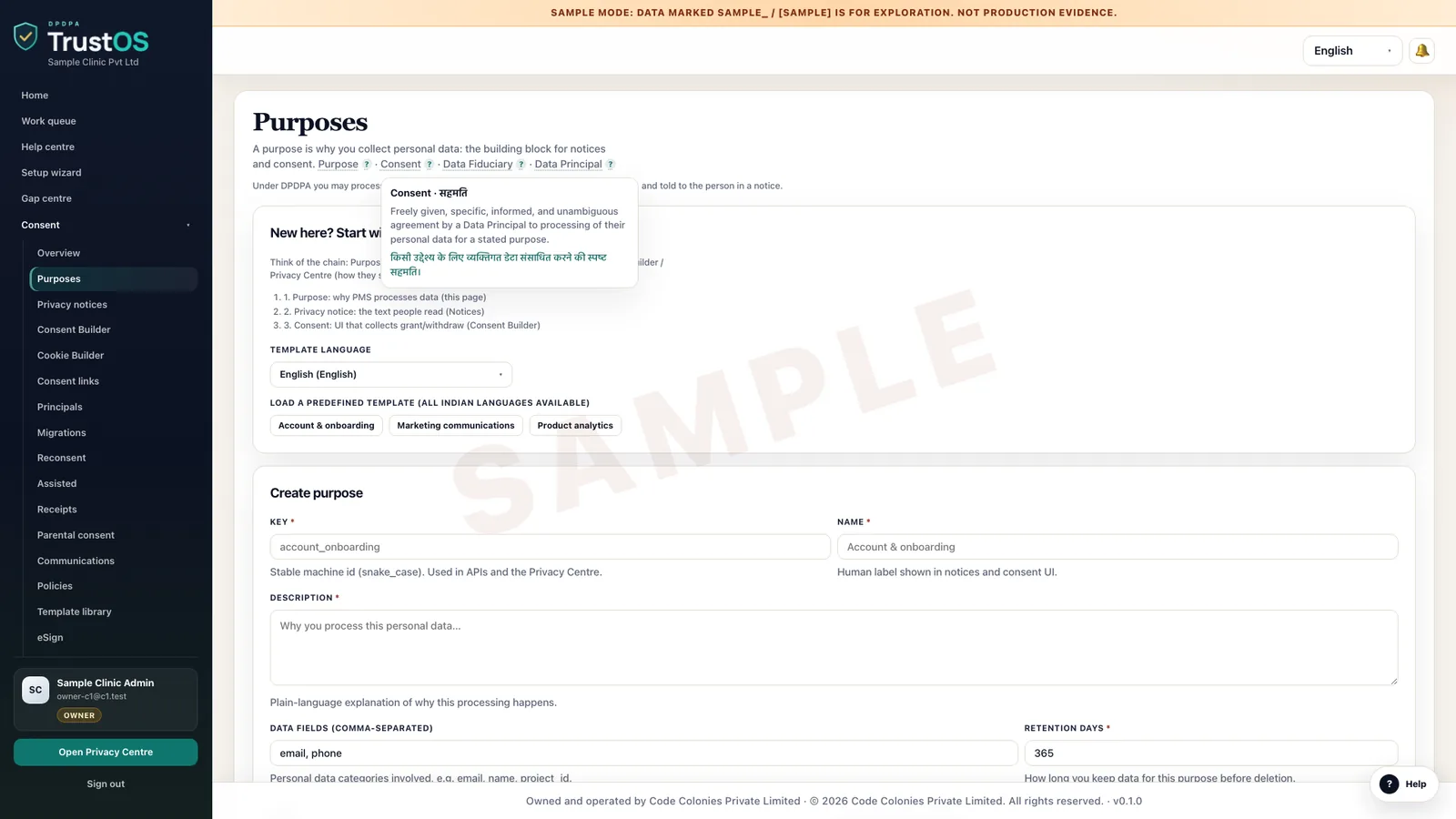
Purposes and notices keeps a register of every reason you process personal data, with its ground, data categories and retention period. Notices are built from that register, approved by legal, versioned and published in the languages your customers read.
The problem
The notice describes a business that no longer exists
A hospital's privacy notice was written when it had one city and a paper registration desk. Since then it has added a patient app, teleconsultation, a pharmacy delivery partner and a health insurance desk. Each team wrote its own consent text. Nobody can say which notice a patient saw in April, or whether the Gujarati version matches the English one.
What the DPDP Act asks
Before or when you ask for consent, the DPDP Act and Rules require a notice that stands on its own, is clear and plain, and gives an itemised description of the personal data and the specific purpose for which it is processed. It must explain how to withdraw consent, use rights and complain to the Data Protection Board. A Data Principal can ask for it in English or any language in the Eighth Schedule to the Constitution.
A plain summary. It is not legal advice. Read the DPDP Act guide.
A data map, growing
From systems, to the data in them, to why you hold it
The map is built in three passes: the systems that hold personal data, the categories of data in each, and the purposes each category serves, with an owner for every purpose, shown for an NBFC.
What it does
What purposes and notices gives your team
Purpose register
Each purpose has a plain name, such as 'Assess a personal loan application', the data it needs, the ground it rests on and how long data is kept for it. Purposes are reused across notices, so the same reason is never described two ways.
Consent or legitimate use, recorded
For each purpose, legal records whether it relies on consent or a specific legitimate use under section 7, with a short reason. When someone later asks why, the answer is on the record.
Notices built from purposes
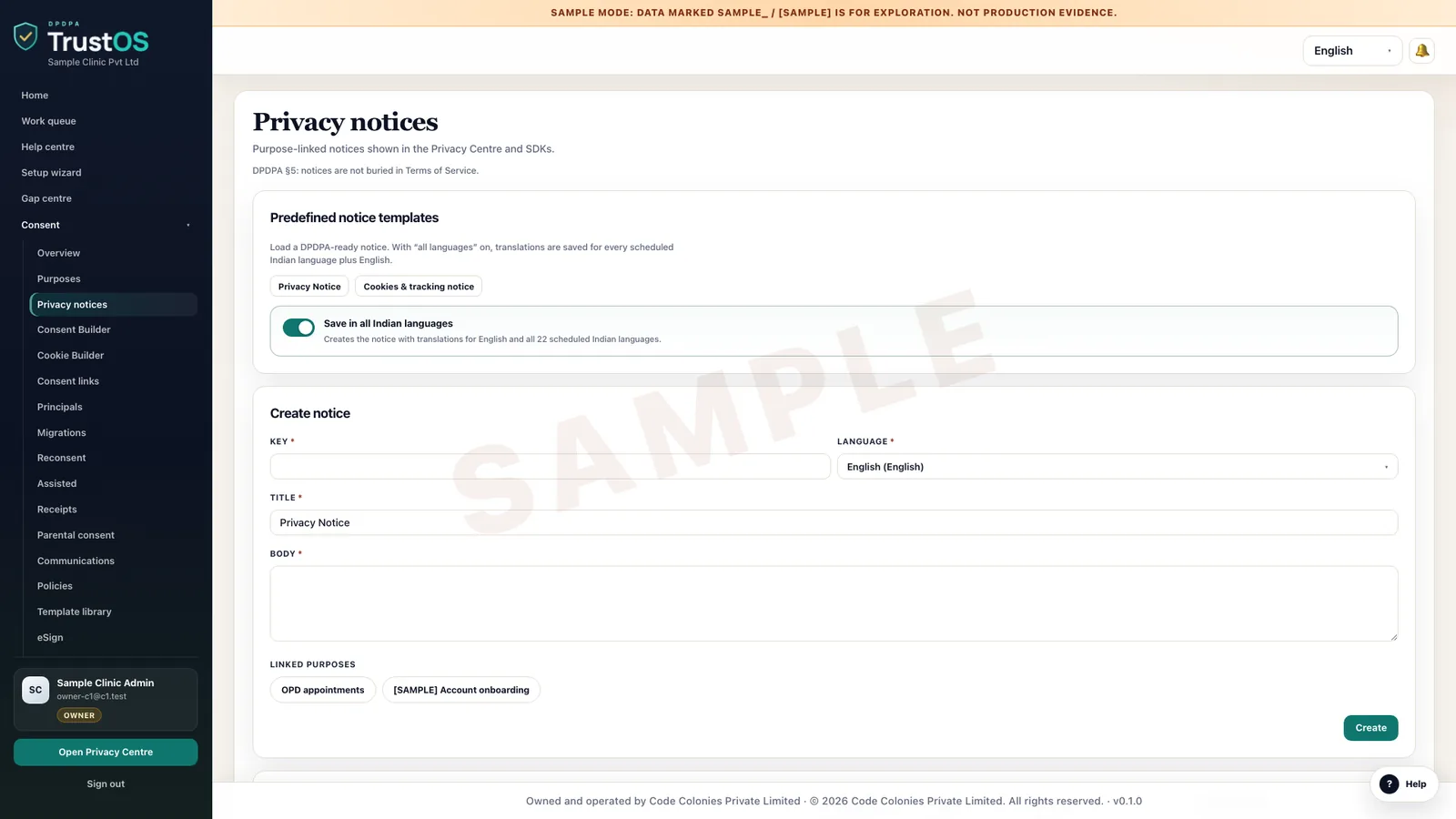
Pick the purposes that apply to a channel, such as the patient app sign up, and TrustOS assembles an itemised notice from them. Legal edits the wording; the itemised list stays tied to the register.
Translations in 22 languages
Notices can be published in the 22 languages of the Eighth Schedule. Each translation is a separate version with its own reviewer, so a Marathi notice is not live until someone who reads Marathi has approved it.
Versions and approvals
Every change creates a new version with a reason, a reviewer and a publish date. You can show the exact text that was live on any given day, in any language.
Notice placement by channel
Record where each notice appears: app screens, web forms, the registration desk, a WhatsApp flow or a call centre script. Consent records point back to the version shown in that channel.
How the work moves
Step by step, inside TrustOS
- Step 1Draft the purposesProduct and business teams propose purposes for a new feature or channel. Each purpose names the data categories it needs from the inventory.
- Step 2Legal records the groundThe privacy lead decides consent or legitimate use, sets the retention period and approves the purpose. Rejected purposes go back with a note.
- Step 3Build the noticeApproved purposes are grouped into a notice for a channel. Legal edits the text and checks it reads plainly for a first time customer.
- Step 4Translate and reviewThe approved English text is sent for translation. Each language version gets its own reviewer and approval.
- Step 5Publish and linkThe notice is published to the Privacy Centre and to the channel. Consent collected from that point records this version number.
Records it keeps
The evidence builds as you work
- Purpose register with ground, data categories and retention period
- Legal reasoning for each legitimate use
- Every notice version, with author, approver and live dates
- Language versions with translator and reviewer
- Channels where each notice appears
- Change log linking purpose changes to notice updates
Who uses it
The teams who rely on it most
The first team usually leads the work. The others act on what it assigns.
Questions
About purposes and notices
Does TrustOS write the notice for us?
It assembles the itemised part from your purpose register and gives you a structure. Your legal team writes and approves the wording. TrustOS does not give legal advice.
Who translates the notices?
Your translators or an agency. TrustOS tracks each language version, who reviewed it and when it went live, so an unreviewed translation never goes out by accident.
Do we need a notice for data processed under a legitimate use?
The notice duty in the Act is tied to consent. Many organisations still describe legitimate uses in their privacy information so people understand them. TrustOS lets you record both and decide what to publish.
Keep going
Related modules and reading
Module
Data inventory
A working record of what personal data you hold, where it sits and who touches it.
Learn moreModule
Consent
Record each consent against the notice shown, and act on withdrawal in every system.
Learn moreModule
Privacy Centre
One page where your customers manage consent, make requests and track them.
Learn moreSee it with your data
Show us where your personal data lives. We will show you TrustOS running on it.
A 30 minute walkthrough on Google Meet with someone who knows the Act and the product. You leave with a view of your first phase, the owners and the effort.
Or get a rollout proposal in two minutes- Step 1A 30 minute demo on Google MeetWith someone who knows the Act and the product.
- Step 2Your systems and purposesWe walk one product's personal data through TrustOS.
- Step 3A first phase you can planModules, owners and effort, written down for you to keep.