
Platform · Privacy Centre
One page where your customers manage consent, make requests and track them.
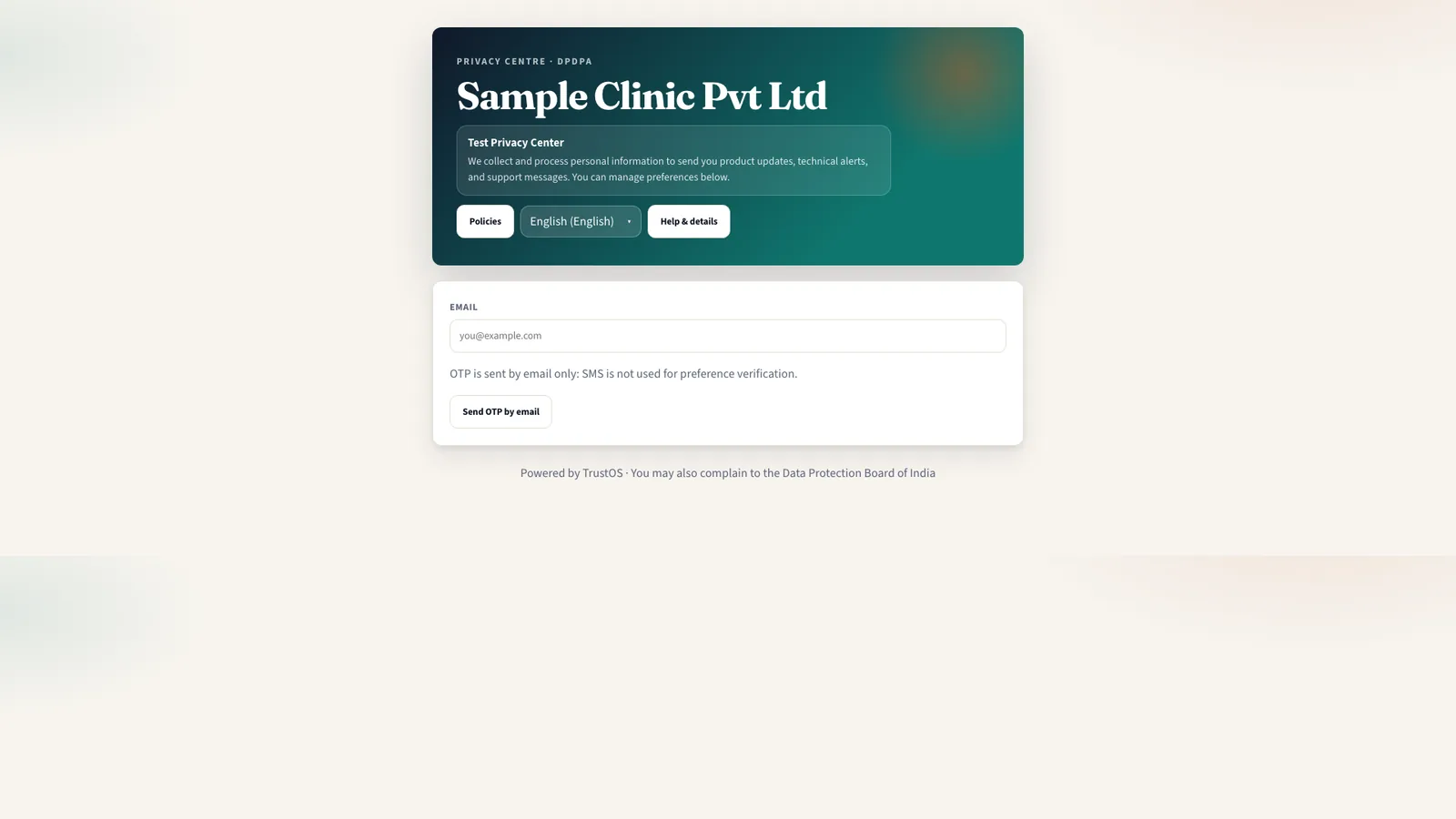
The Privacy Centre is the part of TrustOS your customers, patients or students use. They read your privacy information, change their consents, raise requests and grievances, nominate someone, and see where each request stands.
The problem
Customers have no clear door to knock on
An edtech platform's privacy policy says to write to a generic email address. Parents send requests there, to the support desk, to the founder on LinkedIn and through app store reviews. Some get answered, some sit in a shared inbox for weeks, and none of them can be tracked by the parent who sent them.
What the DPDP Act asks
The DPDP Act gives Data Principals rights to access information, correction, completion, updating and erasure, grievance redressal and nomination. The Rules ask you to publish, on your website or app, how a person can make a request and how to reach the person who answers questions on your behalf. Withdrawing consent must be as easy as giving it, which in practice means a place people can find without help.
A plain summary. It is not legal advice. Read the DPDP Act guide.
Watch a withdrawal travel
One switch in the Privacy Centre, every system that used it
A customer turns off WhatsApp offers. The consent record changes, and the withdrawal goes to each system and processor that relied on it, until every one has confirmed. Sample data.
What it does
What privacy centre gives your team
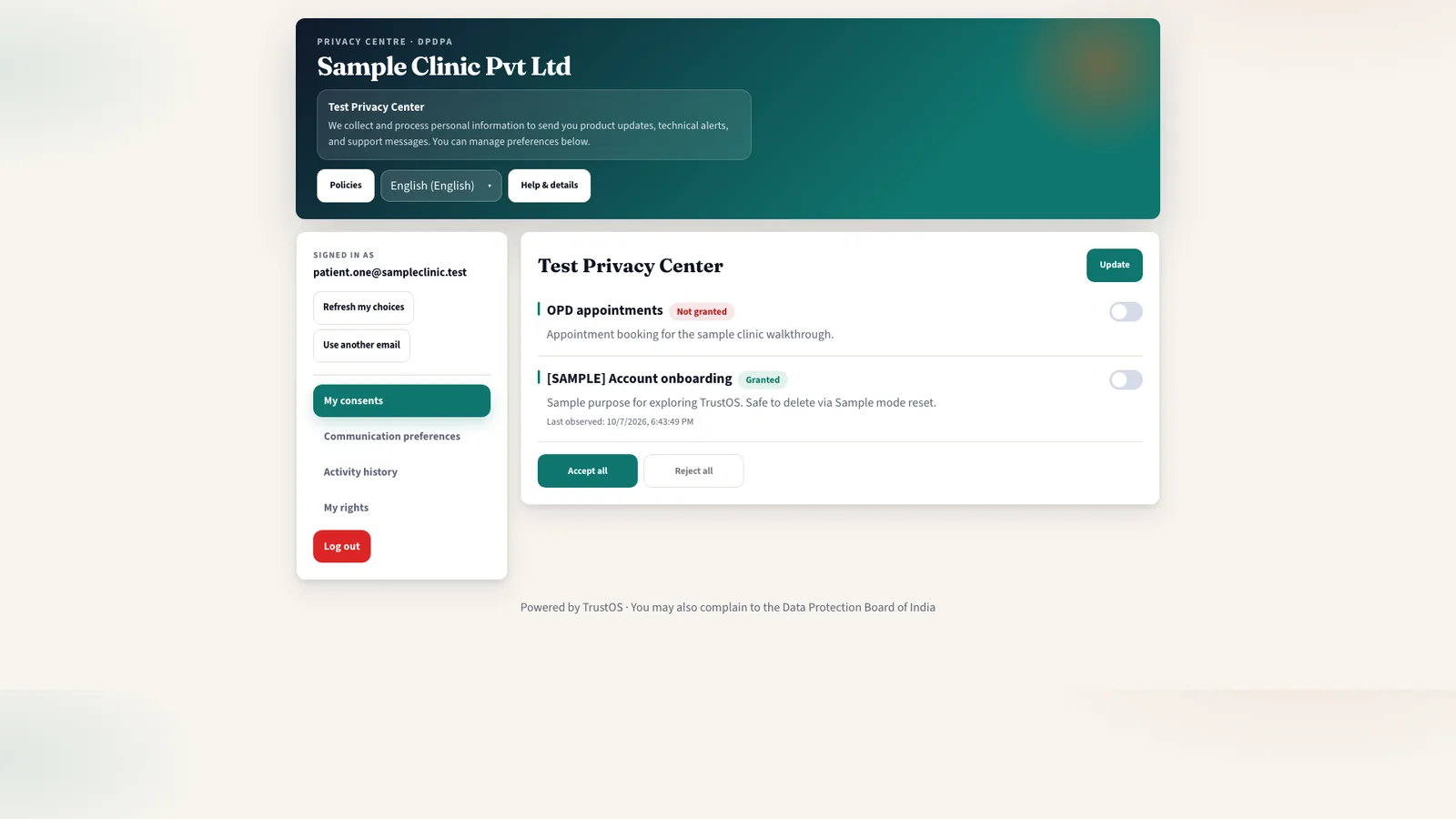
Consent dashboard for each person
After signing in, a person sees each purpose they agreed to, the date, and a switch to withdraw. A borrower can stop WhatsApp offers without calling the branch.
Requests with a reference number
Access, correction, completion, updating and erasure requests are raised through a short form. The person gets a reference, such as RQ-2026-04417, and can check its status at any time.
Grievances and nominations
People can raise a grievance about how their data was handled and nominate someone to act for them in case of death or incapacity. Both go straight to the right queue in the workspace.
Sign in that fits your customers
Verify people by OTP on their registered mobile or email, or through your own login. A hospital can use the patient's UHID and mobile; an NBFC can use the loan account and registered number.
Privacy information in their language
Published notices, purposes and contact details appear in the person's chosen language, using the approved versions from the notices module.
Your brand, your domain
The Privacy Centre runs under your name and domain, with your colours and logo. It can be linked from the app menu, the website footer, SMS messages and printed forms.
How the work moves
Step by step, inside TrustOS
- Step 1Configure what people can doChoose which request types, consent purposes and identity checks apply. A hospital may allow nomination online but take erasure requests through the medical records desk.
- Step 2Publish and linkSet the domain, branding and languages, then link the Privacy Centre from your app, website, notices and support replies.
- Step 3A person signs inThey verify with an OTP or your login and see their consents and any open requests.
- Step 4They actA withdrawal is recorded at once and sent to the consent module. A request or grievance is logged with a reference and routed to the rights queue.
- Step 5They follow upStatus changes show in the Privacy Centre and are sent by SMS or email. The person does not need to call to find out what happened.
Records it keeps
The evidence builds as you work
- Sign in and identity verification events
- Consent changes made through the Privacy Centre
- Requests and grievances raised, with reference numbers
- Nominations submitted and their verification status
- Notice versions and languages shown to each visitor
- Status messages sent to the person
Who uses it
The teams who rely on it most
The first team usually leads the work. The others act on what it assigns.
Questions
About privacy centre
Do we have to use the Privacy Centre, or can we build our own?
Either works. Some teams use the Privacy Centre as is; others build screens in their own app and send the same consents and requests to TrustOS. Many start with the Privacy Centre and add in-app screens later.
Can someone make a request without an account with us?
Yes, if you allow it. They verify by OTP on a mobile number or email, and the request is matched to your records by the rights team before anything is shared.
Can a parent manage a child's settings?
Yes. A verified parent or guardian can view and change consents and raise requests for the child's account, and each action is recorded against the parent as well as the child.
Keep going
Related modules and reading
Module
Consent
Record each consent against the notice shown, and act on withdrawal in every system.
Learn moreModule
Rights and grievances
Every request and complaint in one queue, with owners, due dates and a reply on file.
Learn moreModule
Purposes and notices
Decide why you process each kind of data, then tell people in their own language.
Learn moreSee it with your data
Show us where your personal data lives. We will show you TrustOS running on it.
A 30 minute walkthrough on Google Meet with someone who knows the Act and the product. You leave with a view of your first phase, the owners and the effort.
Or get a rollout proposal in two minutes- Step 1A 30 minute demo on Google MeetWith someone who knows the Act and the product.
- Step 2Your systems and purposesWe walk one product's personal data through TrustOS.
- Step 3A first phase you can planModules, owners and effort, written down for you to keep.